Cloud-Hosted Enterprise Intelligence
How the cloud-hosted version of the CopilotKit Enterprise Intelligence Platform works — login, organizations, projects, project API keys, conversation history, thread inspection, and plan management.
Cloud-Hosted Enterprise Intelligence is the CopilotKit-operated deployment of the same Enterprise Intelligence Platform you can also self-host. Use it when you want durable threads, project-scoped API keys, conversation history, the hosted web app, and plan management without operating Kubernetes infrastructure.
What the cloud-hosted version provides#
The cloud-hosted version runs the Enterprise Intelligence Platform for you. Your application keeps using the CopilotKit SDK and runtime APIs, while the hosted service stores project-scoped platform data: threads, events, runtime connection metadata, and API keys.
The hosted web app is the control surface for developers and administrators. End users of your application do not sign in to this dashboard. Your app still controls end-user identity and passes user context through the runtime, while the hosted service scopes stored threads to the project your app is connected to.
Use Cloud-Hosted Enterprise Intelligence when you want the fastest path to production. Use Self-Hosting Enterprise Intelligence when your organization needs the platform inside its own VPC, cluster, or data boundary.
Login and workspace flow#
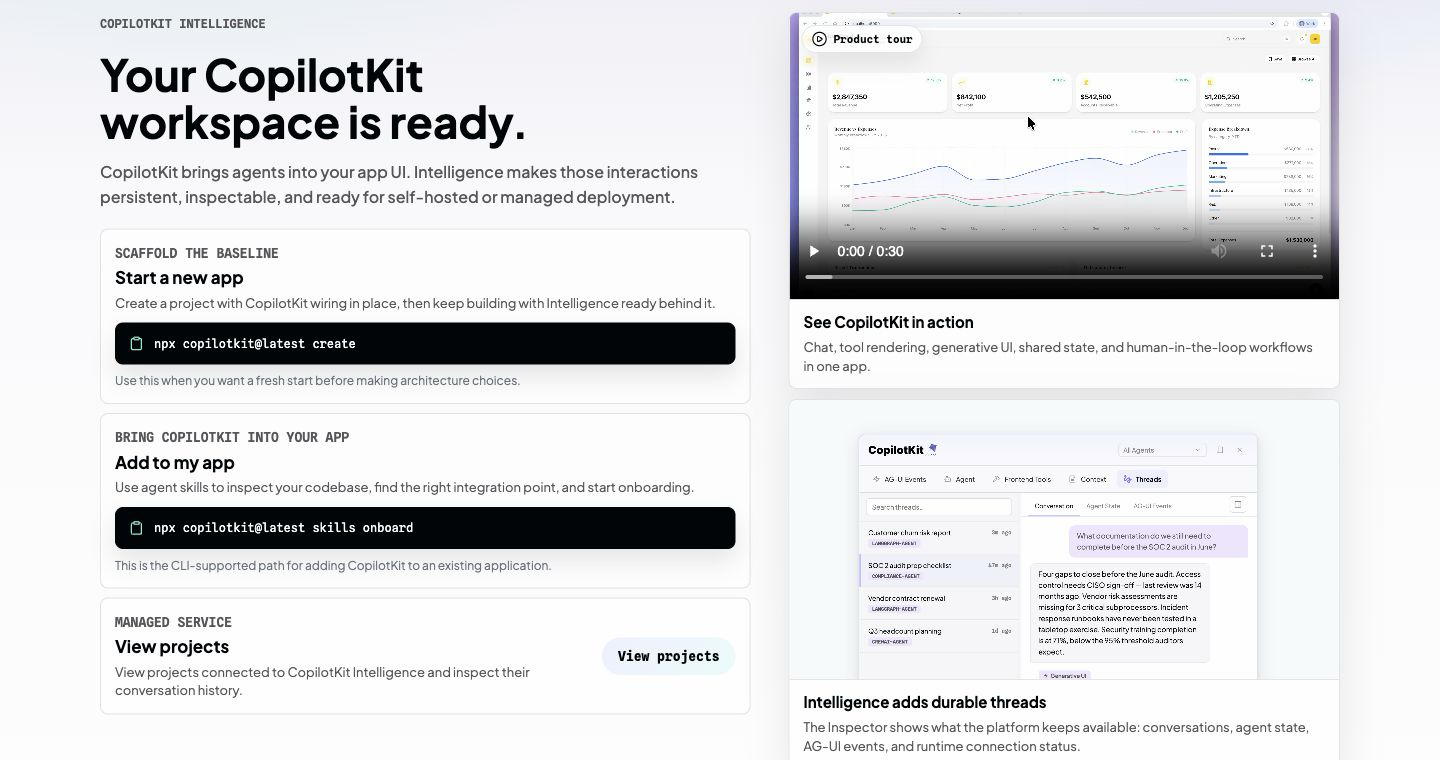
You sign in at dashboard.operations.copilotkit.ai. After login, choose or create the organization workspace you want to operate in. The ready page gives you two common paths:
npx copilotkit@latest createfor a new app.npx copilotkit@latest skills onboardfor adding CopilotKit to an existing app with agent-assisted onboarding.
The CopilotKit CLI uses the same sign-in system. When the CLI needs dashboard access, it opens a browser login flow and then stores a local CLI session so project selection can happen from your terminal.
Projects#
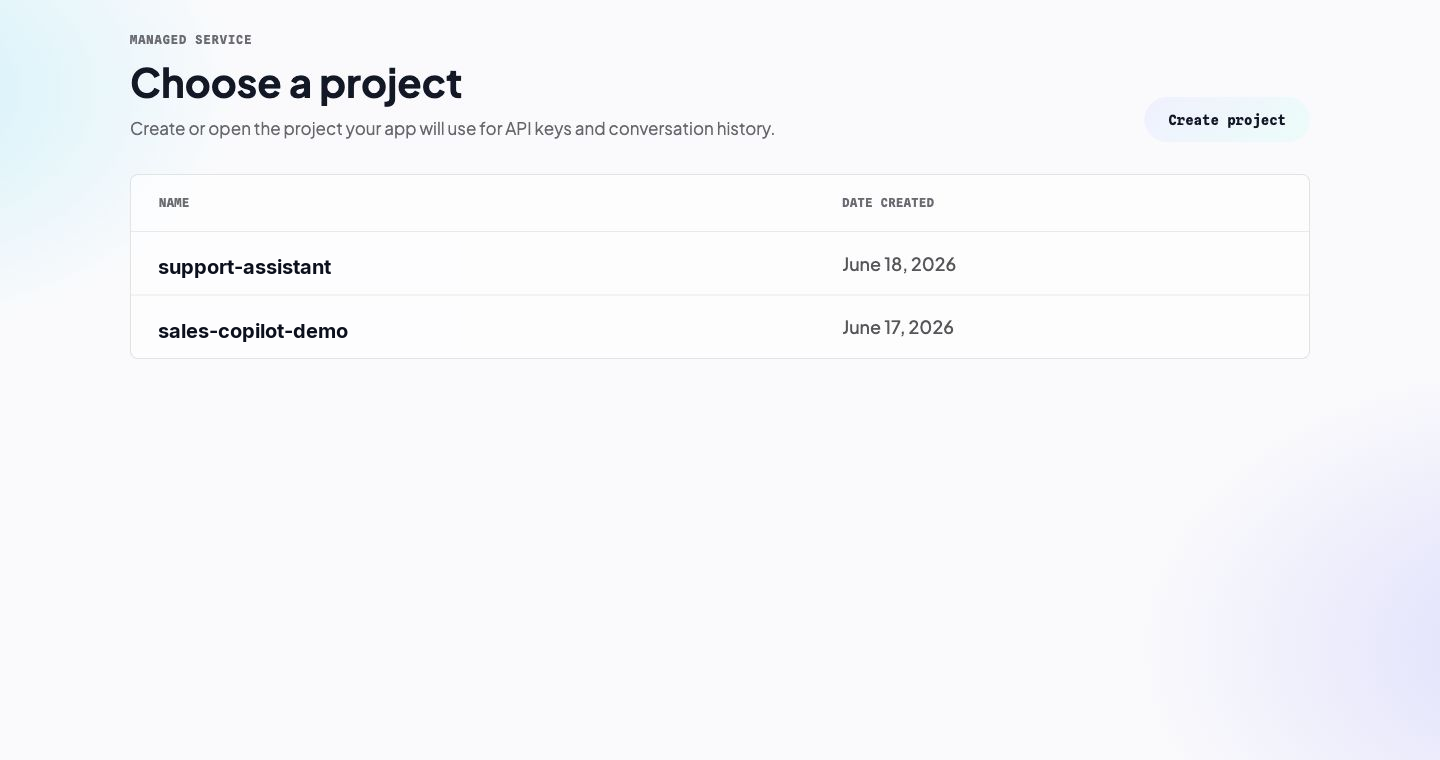
A project is the cloud-hosted boundary for one app or environment. Create separate projects for production, staging, demos, and experiments so their API keys and conversation history stay separate.
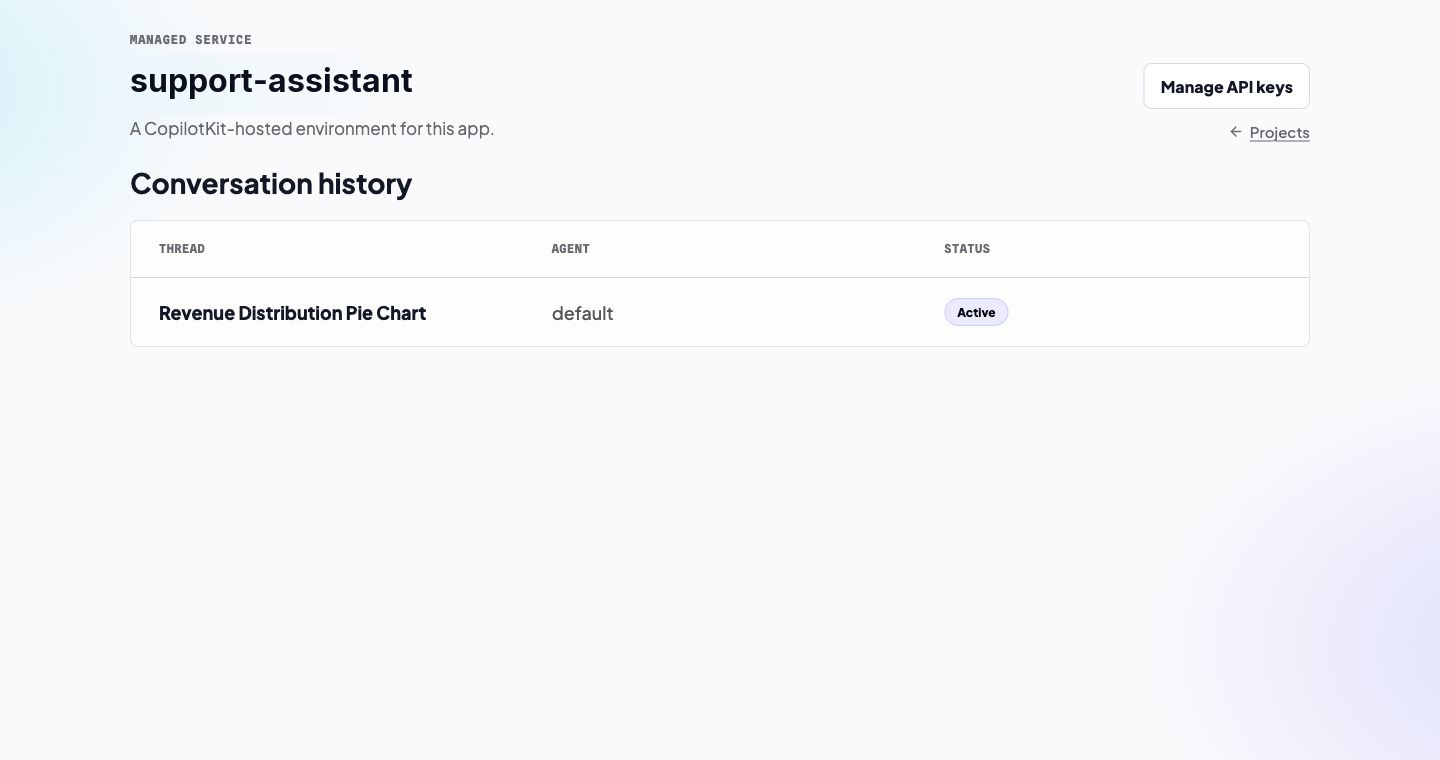
Inside a project, the web app shows the conversation history connected to that project. Each thread row shows the thread name, agent, and active or archived status.
API keys#
Project API keys connect your runtime to the cloud-hosted project. The CLI provisions a project-scoped key during create and project select, writes it to .env as INTELLIGENCE_API_KEY, and records the selected project in .copilotkit/project.json.
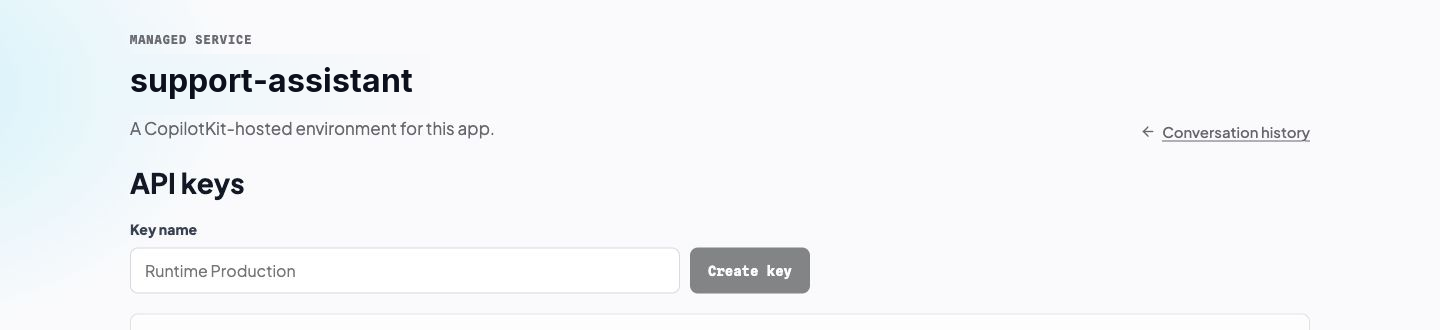
When you create an API key in the web app, the plaintext token is shown once. Store it in your runtime environment, not in frontend code. Deleting a key invalidates any application still using it.
Threads and conversation history#
Threads are persistent conversations stored by the Enterprise Intelligence Platform. In the hosted web app, you can open a thread to inspect the agent, app user, status, update time, and recorded event timeline.
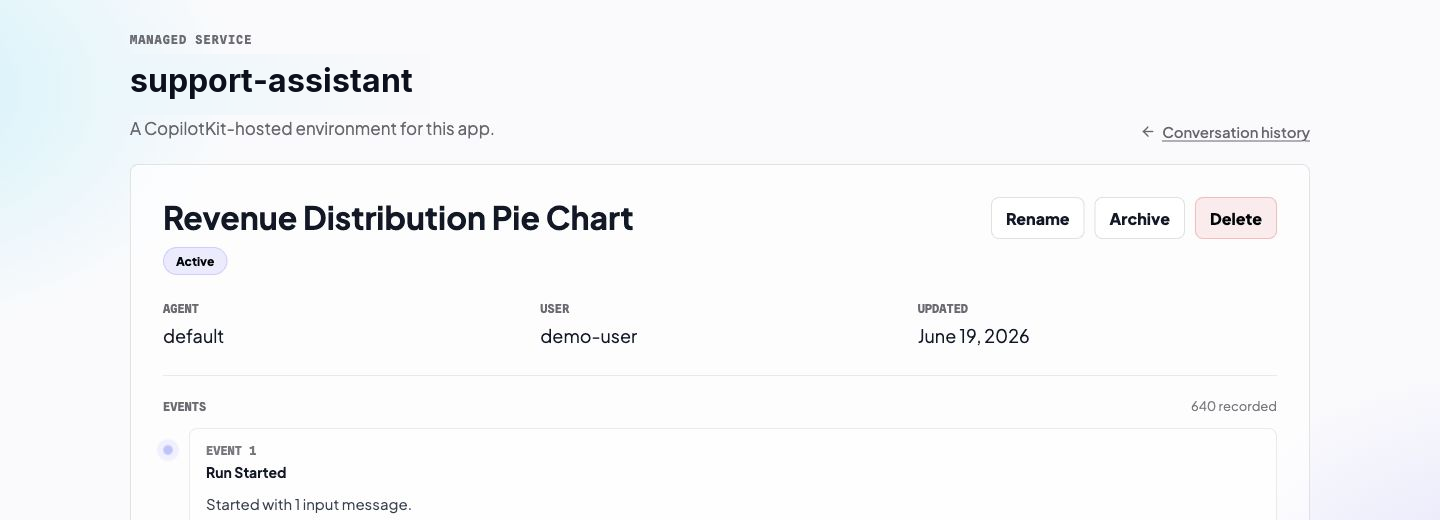
Thread actions map to the same lifecycle your app sees through its thread-management API:
- Rename changes the display name.
- Archive hides the thread from the active list without deleting its history.
- Delete permanently removes the thread.
Use the thread detail page when you need to debug persistence, confirm that a runtime is writing events, or inspect the event sequence behind a conversation. Raw event payloads are available from the event disclosures when you need deeper debugging.
Plan management#
The pricing page is where you inspect your current plan, manage billing, compare tiers, and see plan limits such as thread retention, maximum thread count, multimodal storage, cloud hosting, and self-hosting availability.
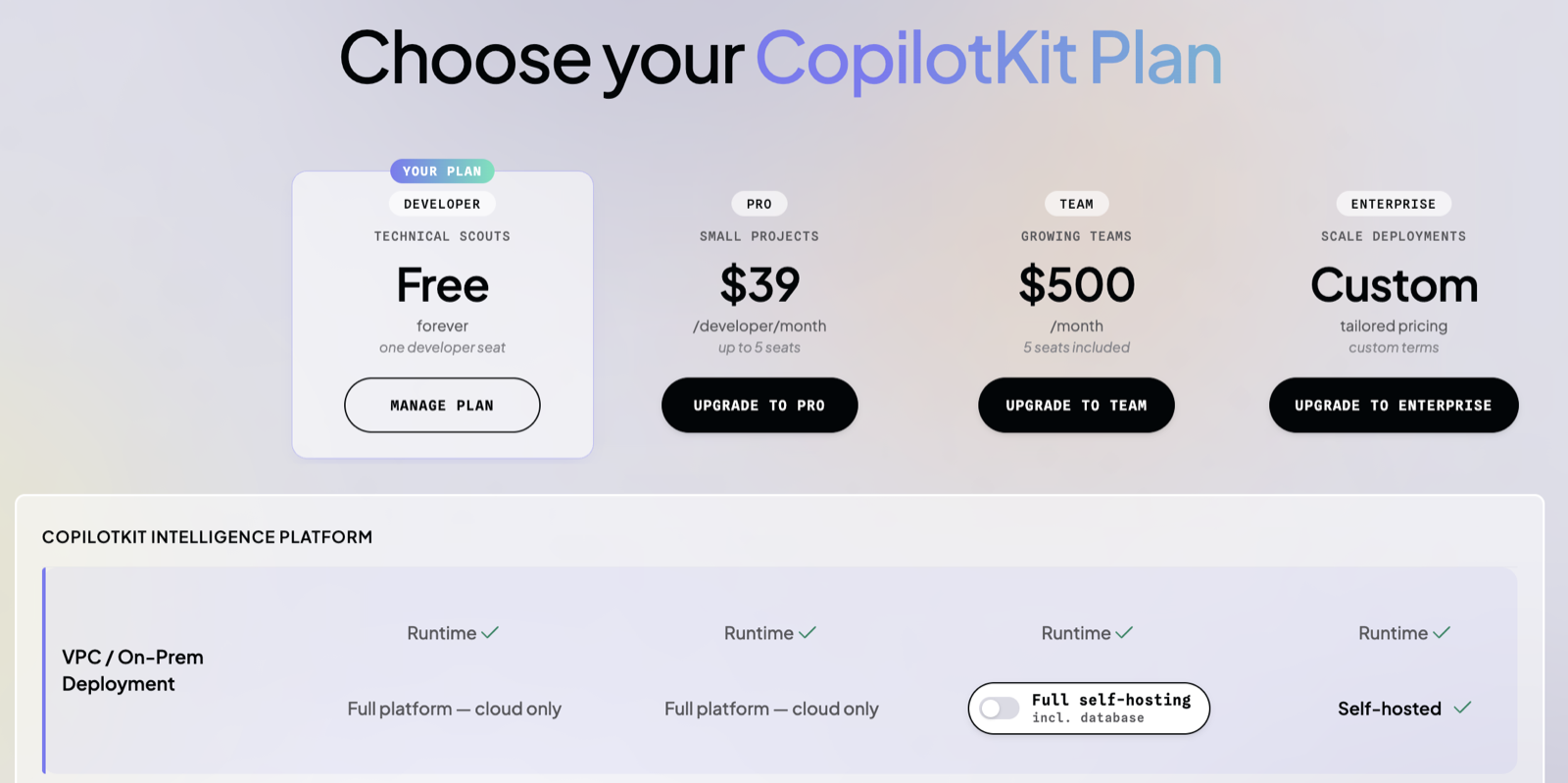
Some capabilities may appear in the dashboard as early access. Those capabilities follow the early-access program and are not covered on this page.
Cloud-hosted vs. self-hosted#
| Choose this | When |
|---|---|
| Cloud-Hosted Enterprise Intelligence | You want hosted projects, managed API keys, conversation history, thread inspection, and plan management without running platform infrastructure. |
| Self-hosted Enterprise Intelligence Platform | You need the same platform inside your own Kubernetes cluster for residency, compliance, network isolation, or enterprise operations requirements. |
Your application code should stay focused on the CopilotKit frontend SDK and runtime. The deployment mode changes which platform endpoint and credentials your runtime uses, not how the frontend lists threads or renders chat. Moving from cloud-hosted projects to self-hosting is available on the Team self-hosted plan or a custom Enterprise plan.
Next steps#
- Explore Rich Threads: Rich Threads overview — understand persistent, resumable conversations and choose an implementation path
- Use the CLI: CopilotKit CLI — sign in, scaffold apps, select cloud-hosted projects, and write project configuration
- Add threads: Headless Threads — list, create, rename, archive, and delete persistent conversations in a custom UI
- Thread architecture: Threads & Persistence Architecture — event replay, realtime sync, and thread lifecycle semantics
- Self-host the platform: Self-Hosting Enterprise Intelligence — install and operate the Helm chart in your own cluster