Reading agent state
Read the realtime agent state in your native application.
This example demonstrates reading from shared state in the CopilotKit Feature Viewer.
What is this?#
You can easily use the realtime agent state not only in the chat UI, but also in the native application UX.
When should I use this?#
You can use this when you want to provide the user with feedback about your agent's state. As your agent's state updates, you can reflect these updates natively in your application.
Implementation#
Run and connect your agent#
You'll need to run your agent and connect it to CopilotKit before proceeding. If you haven't done so already, you can follow the instructions in the Getting Started guide.
If you don't already have an agent, you can use the coagent starter as a starting point as this guide uses it as a starting point.
Define the Agent State#
LangGraph is stateful. As you transition between nodes, that state is updated and passed to the next node. For this example, let's assume that our agent state looks something like this.
from langchain_core.runnables import RunnableConfig
from copilotkit import CopilotKitState
from typing import Literal

class AgentState(CopilotKitState):
    language: Literal["english", "spanish"] = "english"

def chat_node(state: AgentState, config: RunnableConfig):
  # If language is not defined, set a value.
  # this is because a default value in a state class is not read on runtime
  language = state.get("language", "english")

  # ... add the rest of the node implementation and use the language variable

  return {
    # ... add the rest of state to return
    # return the language to make it available for the next nodes & frontend to read
    "language": language
}import { StateSchema } from "@langchain/langgraph";
import { CopilotKitStateSchema } from "@copilotkit/sdk-js/langgraph";
import { z } from "zod";
export const AgentStateSchema = new StateSchema({
language: z.enum(["english", "spanish"]).default("english"),
...CopilotKitStateSchema.fields,
});
export type AgentState = typeof AgentStateSchema.State;
async function chat_node(state: AgentState, config: RunnableConfig) {
// If language is not defined, use a default value.
const language = state.language ?? 'english'
// ... add the rest of the node implementation and use the language variable
return {
// ... add the rest of state to return
// return the language to make it available for the next nodes & frontend to read
language
}
}Use the useAgent Hook#
With your agent connected and running all that is left is to call the useAgent hook, pass the agent's ID, and
read the state.
import { useAgent } from "@copilotkit/react-core/v2";

function YourMainContent() {
  const { agent } = useAgent({
    agentId: "sample_agent",
  });

  const language = (agent.state.language as string) ?? "english";

  // ...

  return (
    // style excluded for brevity
    <div>
      <h1>Your main content</h1>
      <p>Language: {language}</p>
    </div>
  );
}
The agent.state is reactive and will automatically update when the agent's state changes.
Give it a try!#
As the agent state updates, your state variable will automatically update with it! In this case, you'll see the
language set to "english" as that's the initial state we set.
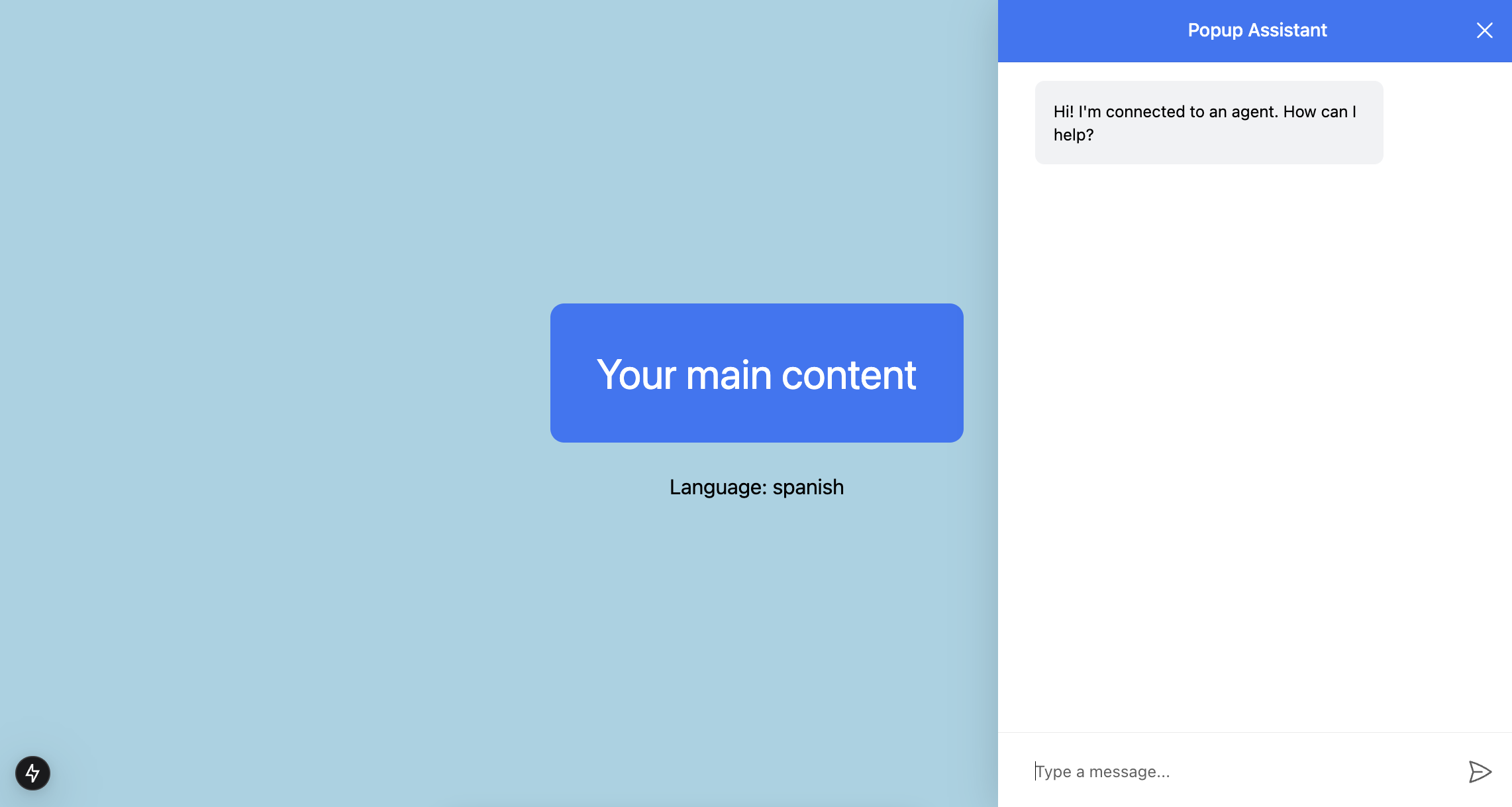
Pictured above is the coagent starter with the implementation section applied!
Rendering agent state in the chat#
You can also render the agent's state in the chat UI using useRenderTool or by accessing agent.state from useAgent. The state is reactive and updates automatically.
import { useAgent } from "@copilotkit/react-core/v2";

function YourMainContent() {
  const { agent } = useAgent({
    agentId: "sample_agent",
  });

  const language = (agent.state.language as string) ?? "english";

  return (
    <div>
      <p>Language: {language}</p>
    </div>
  );
}
Intermediately Stream and Render Agent State#
By default, the LangGraph agent state will only update between LangGraph node transitions -- which means state updates will be discontinuous and delayed.
You likely want to render the agent state as it updates continuously.