7acadae
CopilotKitDocs
  • Docs
  • Integrations
  • Reference
Get Started
QuickstartCoding Agents
Concepts
ArchitectureGenerative UI OverviewOSS vs Enterprise
Agentic Protocols
OverviewAG-UIAG-UI MiddlewareMCPA2A
Build Chat UIs
Prebuilt Components
CopilotChatCopilotSidebarCopilotPopup
Custom Look and Feel
CSS CustomizationSlots (Subcomponents)Fully Headless UIReasoning Messages
Multimodal AttachmentsVoice
Build Generative UI
Controlled
Tool-based Generative UITool RenderingState RenderingReasoning
Your Components
Display ComponentsInteractive Components
Declarative
A2UIDynamic Schema A2UIFixed Schema A2UI
Open-Ended
MCP Apps
Adding Agent Powers
Frontend ToolsShared State
Human-in-the-Loop
HITL OverviewPausing the Agent for InputHeadless Interrupts
Sub-AgentsAgent ConfigProgrammatic Control
Agents & Backends
Built-in Agent
Backend
Copilot RuntimeFactory ModeAG-UI
Runtime Server AdapterAuthentication
LangGraph (Python)
Your Components
Display-onlyInteractiveInterrupt-based
Shared state
Reading agent stateWriting agent stateInput/Output SchemasState streaming
ReadablesInterruptsConfigurableSubgraphsDeep Agents
Advanced
Disabling state streamingManually emitting messagesExiting the agent loop
Persistence
Loading Agent StateThreadsMessage Persistence
Videos
Video: Research Canvas
Error Debugging & ObservabilityCommon LangGraph issues
Troubleshooting Copilots
Migrate to AG-UI
Observe & Operate
InspectorVS Code Extension
Troubleshooting
Common Copilot IssuesError Debugging & ObservabilityDebug ModeAG-UI Event InspectorHook ExplorerError Observability Connectors
Enterprise
CopilotKit PremiumHow the Enterprise Intelligence Platform WorksHow Threads & Persistence WorkObservabilitySelf-Hosting IntelligenceThreads
Deploy
AWS AgentCore
What's New
Full MCP Apps SupportLangGraph Deep Agents in CopilotKitA2UI Launches with full AG-UI SupportCopilotKit v1.50Generative UI Spec SupportA2A and MCP Handshake
Migrate
Migrate to V2Migrate to 1.8.2
Other
Contributing
Code ContributionsDocumentation Contributions
Anonymous Telemetry
LangGraph (Python)Deep Agents

Deep Agents

Leverage LangGraph Deep Agents to build sophisticated agentic applications.

Deep Agents is now a first-class integration

Deep Agents has been promoted to its own top-level integration. Head to the Deep Agents integration for the full documentation.

Prerequisites#

Before you begin, you'll need the following:

  • An OpenAI API key
  • Node.js 20+
  • Your favorite package manager
  • A LangSmith API key - only required if deploying to LangSmith Platform

Getting started#

Initialize your agent project#

If you don't already have a Python project set up, create one using uv:

uv init my-agent
cd my-agent

Add necessary dependencies#

For this agent, we'll just need the deepagents, langchain-openai, and copilotkit packages:

uv add deepagents copilotkit langchain-openai

If you already have a LangGraph agent written, just reference the following code. In this step we create a simple LangGraph agent for the sake of demonstration.

First, we'll create a simple LangGraph agent:

main.py
python
from deepagents import create_deep_agent
from copilotkit import CopilotKitMiddleware
from langgraph.checkpoint.memory import MemorySaver

def get_weather(location: str):
    """Get weather for a location"""
    return f"The weather in {location} is sunny."

agent = create_deep_agent(
    model="openai:gpt-5.4",
    tools=[get_weather],
    middleware=[CopilotKitMiddleware()], # for frontend tools and context
    system_prompt="You are a helpful research assistant.",
)

graph = agent

Then to test and deploy with LangSmith, we'll also need a langgraph.json

touch langgraph.json
langgraph.json
json
{
    "python_version": "3.12",
    "dockerfile_lines": [],
    "dependencies": ["."],
    "package_manager": "uv",
    "graphs": {
        "sample_agent": "./main.py:agent"
    },
    "env": ".env"
}
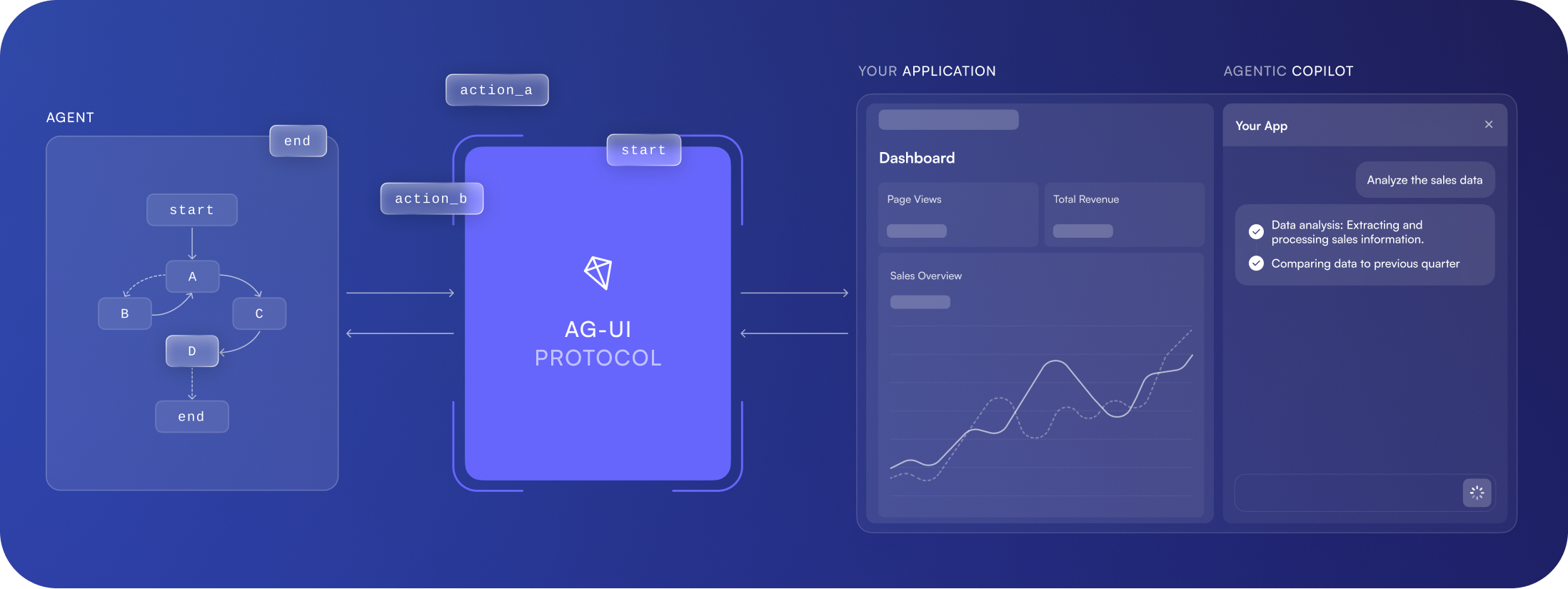
What is AG-UI?

AG-UI is an open protocol for frontend-agent communication.

Configure your environment#

Create a .env file in your agent directory and add your OpenAI API key:

.env
plaintext
OPENAI_API_KEY=your_openai_api_key
What about other models?

The starter template is configured to use OpenAI's GPT-4o by default, but you can modify it to use any language model supported by LangGraph.

Create your frontend#

CopilotKit works with any React-based frontend. We'll use Next.js for this example.

npx create-next-app@latest frontend
cd frontend

Install CopilotKit packages#

npm install @copilotkit/react-core @copilotkit/runtime

Setup Copilot Runtime#

Create an API route to connect CopilotKit to your LangGraph agent:

mkdir -p app/api/copilotkit && touch app/api/copilotkit/route.ts
app/api/copilotkit/route.ts
tsx
import {
    CopilotRuntime,
    ExperimentalEmptyAdapter,
    copilotRuntimeNextJSAppRouterEndpoint,
} from "@copilotkit/runtime";
// [!code highlight]
import { LangGraphAgent } from "@copilotkit/runtime/langgraph";
import { NextRequest } from "next/server";

const serviceAdapter = new ExperimentalEmptyAdapter();

const runtime = new CopilotRuntime({
    agents: {
        // [!code highlight:5]
        sample_agent: new LangGraphAgent({
deploymentUrl:  process.env.LANGGRAPH_DEPLOYMENT_URL || "http://localhost:8123",
            graphId: "sample_agent",
langsmithApiKey: process.env.LANGSMITH_API_KEY || "",
        }),
    }
});

export const POST = async (req: NextRequest) => {
    const { handleRequest } = copilotRuntimeNextJSAppRouterEndpoint({
        runtime,
        serviceAdapter,
        endpoint: "/api/copilotkit",
    });

    return handleRequest(req);
};

Configure CopilotKit Provider#

Wrap your application with the CopilotKit provider:

app/layout.tsx
tsx
// [!code highlight:2]
import { CopilotKit } from "@copilotkit/react-core/v2";
import "@copilotkit/react-core/v2/styles.css";

// ...

export default function RootLayout({ children }: {children: React.ReactNode}) {
    return (
        <html lang="en">
            <body>
                {/* [!code highlight:3] */}
                <CopilotKit runtimeUrl="/api/copilotkit" agent="sample_agent">
                    {children}
                </CopilotKit>
            </body>
        </html>
    );
}

Add the chat interface#

Add the CopilotSidebar component to your page:

app/page.tsx
tsx
"use client";

import { CopilotSidebar } from "@copilotkit/react-core/v2";
import { useDefaultRenderTool } from "@copilotkit/react-core/v2";

export default function Page() {
    useDefaultRenderTool({
    render: ({name, status, args, result}) => (
        <details>
            <summary>
                {status === "complete"? `Called ${name}` : `Calling ${name}`}
            </summary>

            <p>Status: {status}</p>
            <p>Args: {JSON.stringify(args)}</p>
            <p>Result: {JSON.stringify(result)}</p>
        </details>
    )})

    return (
        <main>
            <h1>Your App</h1>
            <CopilotSidebar />
        </main>
    );
}

Start your agent#

From your agent directory, start the agent server:

cd ..
npx @langchain/langgraph-cli dev --port 8123 --no-browser

Your agent will be available at http://localhost:8123.

Start your UI#

In a separate terminal, navigate to your frontend directory and start the development server:

cd frontend
npm run dev
On this page
PrerequisitesGetting started