
Code Contributions
We are grateful for your interest in contributing to CopilotKit. We welcome new contributors and appreciate your help in making CopilotKit better.
This guide will help you get started as smoothly as possible.
Step 1: Install Prerequisites#
- Node.js 20.x or later
- pnpm v9.x installed globally (
npm i -g pnpm@^9) - Turborepo v2.x installed globally (
npm i -g turbo@2)
Step 2: Repository Setup#
Fork The Repository#
First, head over to the CopilotKit repository and create a fork.
Then, clone your fork to your local machine:
git clone https://github.com/<your-username>/CopilotKit
cd CopilotKit
Step 3: Development Mode#
Now that everything is set up and works as expected, you can get started developing:
# Start all packages in development mode
turbo run dev

# Start a specific package in development mode
turbo run dev --filter="@copilotkit/package-name"
Now you can start making changes to the code.
You can find all @copilotkit/* packages under the packages folder of the
monorepo.
Step 4: Test Changes in Real-Time#
In most cases, you want to seamlessly be able to test your changes in real-time as you develop.
We have an examples folder in the monorepo with a few different examples using CopilotKit. You can run these examples to test your changes, as they are linked to the @copilotkit/* packages in the monorepo.
For this tutorial, we'll use the next-openai example, specifically the Presentation Demo (/presentation).
In a separate terminal, run the following command to start the example:
cd examples/next-openai
export OPENAI_API_KEY=<your-openai-api-key>
pnpm run example-dev
We use the pnpm run example-dev command to run examples, which is different
from the turbo run dev command we use to work on the individual packages.
Now navigate to http://localhost:3000/presentation and you should see the example running. Any changes you make to the CopilotKit packages will immediately be reflected here.
Step 5: Formatting and Linting#
Before committing your changes, ensure your files are formatted properly by running the following at the root of the monorepo:
turbo run format
Additionally, ensure you have no linting errors:
turbo run lint
Step 6: Submit a Pull Request#
Now that you've made your changes, commit and push them. Then, simply head over to the Pull Requests page and create a pull request. Well done!
Starting a dev environment with hot reload#
CopilotKit contains a ready-made script for starting a development environment based on one of the CoAgent examples. It lets you work on CopilotKit internals in the core Typescript and Python code while seeing your changes applied to the chosen example.
As a prerequisite, make sure you have GNU parallel and langgraph CLI installed.
Next, go to the CopilotKit/ directory and run the example.sh script for the example you want to work on:
./scripts/develop/example.sh coagents-starter
This will start a development environment with hot reload.
You can optionally run the same example on LangGraph platform by running:
./scripts/develop/example.sh coagents-starter langgraph-platform
Debugging#
Every time you run CopilotKit on localhost, you will be able to see the CopilotKit Dev Console in the chat window. The Dev Console provides you with useful functionality to debug your copilot (e.g. see what state the copilot is aware of, actions it can perform, etc).
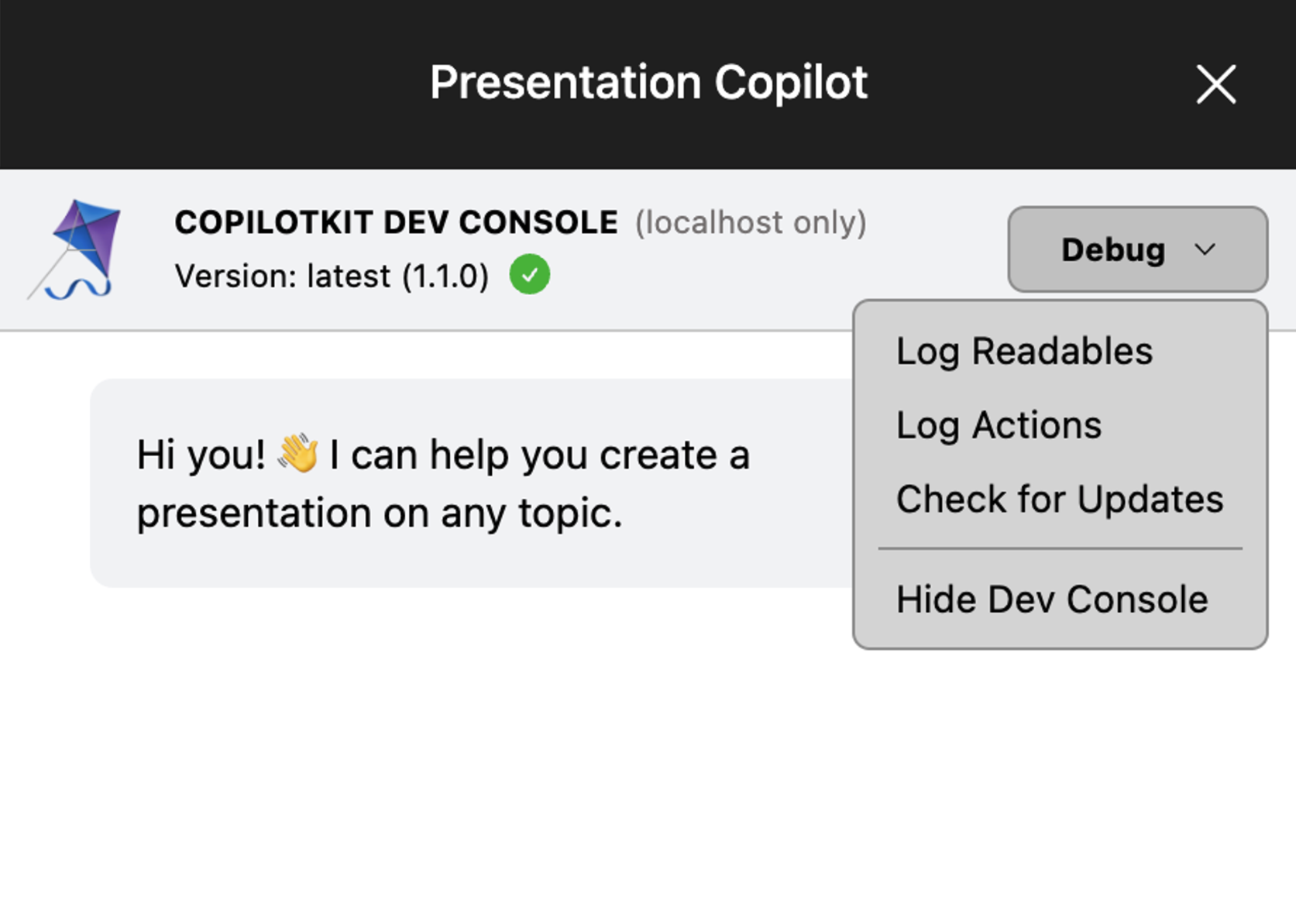
If you'd like to disable the Dev Console locally, simply set showDevConsole to false in your <CopilotKit /> provider.
(Advanced) Package Linking#
In some cases, you want to test your CopilotKit changes in your own project. For example, you tried to integrate CopilotKit into your own codebase and encountered a bug you want to fix.
Conveniently, you can link your local CopilotKit packages to your own project to test your changes.
Check out the Advanced: Package Linking guide to learn how to do that.
Need help?#
If you need help with anything, please don't hesitate to reach out to us on Discord. We have a dedicated #contributing channel.